The tire pressure monitoring system (TPMS) light illuminates when tire pressure drops below recommended levels. Always inflate all four tires to the correct PSI before attempting to clear the dashboard warning light. Several simple methods can reset the system depending on your specific vehicle make and model.
Resetting your tire pressure monitor (TPMS) light after inflating your tires usually takes less than five minutes using either a dedicated dashboard button, your vehicle’s infotainment system menu, or a simple driving sequence. If your low-pressure warning light stays on after you have already corrected your tire air levels, the sensor simply needs to be recalibrated to recognize the new pressure baseline.
Ignoring a persistent TPMS light can desensitize you to genuine future air loss, while properly resetting it ensures your safety systems operate correctly on the road in 2026. Here is the exact step-by-step process to clear the light and get back to normal driving.
Key Takeaways
- Always inflate tires to the manufacturer’s recommended PSI before attempting a reset.
- Locate the physical TPMS reset button, usually found under the steering wheel or inside the glovebox.
- Some vehicles require resetting the system through the digital infotainment or instrument cluster menu.
- Driving continuously at speeds above 50 mph for 10 minutes can automatically clear some sensors.
- A persistent light often indicates a faulty sensor, dead battery, or low pressure in the spare tire.
Why the TPMS Light Comes On and Diagnosing Pressure Issues
Your tire pressure monitoring system triggers a dashboard warning light whenever any tire drops 25 percent or more below the vehicle manufacturer’s recommended cold pressure. Before you attempt any digital or mechanical reset procedure, you must address the root cause of the warning.
Checking and Inflating Tires to Correct PSI
- Locate the factory placard sticker on the driver-side door jamb to find your specific front and rear tire pressure requirements (often between 32 and 36 PSI for standard passenger vehicles).
- Use a reliable digital or stick pressure gauge on all four tires while they are cold before adding air at a gas station compressor.
- Inflate every tire to the exact PSI specified on the door sticker, and do not forget to check your spare tire if your vehicle model actively monitors it.
When to Suspect a Faulty Sensor
- If you verify all four tires hold the exact correct PSI and the TPMS light still flashes before turning solid, a sensor battery may have failed.
- Sensors typically last 5 to 10 years, meaning older vehicles are prone to internal transmitter failures that a standard reset cannot fix.
- If resetting the system fails repeatedly within a few miles of driving, inspect the tires for slow punctures or damaged valve stems.
Master Tire Pressure Monitor Reset in 6 Simple Steps
Dealing with an illuminated Tire Pressure Monitoring System (TPMS) dashboard light can be frustrating, especially when you know your tires are properly inflated. Whether you just rotated your tires, experienced a sudden drop in temperature, or replaced a faulty sensor, resetting the TPMS correctly ensures your vehicle alerts you to genuine safety hazards. This comprehensive guide will walk you through the exact procedures required to clear the warning light, calibrate your sensors, and restore your vehicle’s safety monitoring system to optimal working condition without unnecessary trips to the mechanic.
Step 1: Verify and Adjust Tire Pressures
What you need: A reliable digital or dial tire pressure gauge, an air compressor (at a local gas station or home unit), and your vehicle’s placard specification.
Instructions: Before attempting any electronic reset, you must ensure all four tires—and the spare, if applicable—are inflated to the exact PSI (Pounds per Square Inch) specified by the manufacturer. Open your driver’s side door and locate the white and yellow tire information placard on the door jamb. Using your pressure gauge, check each cold tire (driven less than one mile). If a tire reads 30 PSI when the placard calls for 35 PSI, use your air compressor to fill it up. Overinflated tires should be bled down until they match the exact recommended cold pressure.
Pro Tip: Always check your tire pressure when the tires are “cold” (before driving or after sitting for at least three hours), as driving heats up the air inside, artificially inflating your pressure readings by 3 to 5 PSI.
Step 2: Locate the TPMS Reset Button
What you need: A flashlight, your vehicle owner’s manual, and a slim tool like a pen or paperclip if the button is recessed.
Instructions: Many modern vehicles feature a physical TPMS reset button that initiates the relearn process manually. Sit in the driver’s seat and look underneath the lower left side of the dashboard, near the steering column. Alternatively, check inside the glove box, inside the center console storage bin, or along the inside edge of the driver’s side door. The button typically features an icon of a flat tire with exclamation points inside, accompanied by the letters “SET”. If you cannot locate it immediately, consult your vehicle’s owner manual index under “TPMS Reset Switch.”
Pro Tip: On some European and luxury vehicles, there is no physical button; instead, the reset function is entirely integrated into the digital infotainment touchscreen or instrument cluster menus.
Step 3: Perform the Manual Dashboard Button Reset
What you need: Your vehicle key or push-to-start fob.
Instructions: Once you have found the physical reset button, turn your vehicle’s ignition switch to the “ON” position without starting the engine (turn the key to the second notch or press the start button twice without your foot on the brake pedal). Press and hold the TPMS reset button firmly for approximately 5 to 8 seconds. Watch the dashboard TPMS indicator light closely; it should begin to blink slowly—usually three times—before turning off completely. This flashing sequence indicates that the vehicle’s computer has accepted the current tire pressures as the new baseline threshold.
Pro Tip: If the light continues to flash steadily for about a minute instead of turning off, the system failed to store the values. Turn off the ignition, wait 30 seconds, and repeat the holding process.
Step 4: Execute an Infotainment Menu Calibration
What you need: Access to your vehicle’s central touchscreen display or steering wheel control buttons.
Instructions: For vehicles without a physical reset button, you must navigate the onboard computer. Turn on the ignition and use your steering wheel directional pads or touchscreen to open the main menu. Scroll to “Settings,” then select “Vehicle,” and look for “TPMS,” “Tire Pressure,” or “Service.” Inside this menu, you will typically see an option labeled “Calibrate,” “Reset,” or “Store Pressure.” Select this option and confirm your choice by clicking “Yes” or holding the enter button. The screen will display a confirmation message stating that the tire pressure calibration has been stored successfully.
Pro Tip: Do not attempt to navigate safety settings or menu calibrations while the vehicle is in motion, as most modern safety systems will lock out these features for driver distraction prevention.
Step 5: Perform the Highway Drive Relearn Cycle
What you need: A clear stretch of road where you can safely maintain a steady speed.
Instructions: Some vehicles, particularly trucks and larger SUVs, require an active drive cycle to automatically recalibrate and sync the individual sensor IDs with the vehicle’s computer module. After resetting the system via button or menu, drive your vehicle continuously at speeds above 25 MPH (preferably 50 MPH or higher) for a minimum of 10 to 20 minutes without turning off the engine. During this driving window, the wheel-mounted sensors will transmit their rotational data and pressure signals back to the body control module, completely clearing stubborn warning messages.
Pro Tip: Avoid stop-and-go heavy city traffic during this relearn drive if possible, as intermittent stops can interrupt the automatic sensor synchronization process.
Step 6: Diagnose Stubborn Sensors and Battery Failure
What you need: An OBD-II scanner with TPMS diagnostic capabilities or a dedicated handheld TPMS activation tool.
Instructions: If you have adjusted your pressures, pressed the reset button, and completed a drive cycle, yet the TPMS light remains on or flashes continuously upon startup, you likely have a malfunctioning sensor or a dead internal battery. TPMS sensors are powered by integrated lithium-ion batteries that typically last between 5 to 8 years. Use a dedicated TPMS activation tool near each tire valve stem to ping the sensors individually. If a specific sensor fails to respond or emit a signal, it is dead and needs to be physically replaced by a tire technician.
Pro Tip: When one TPMS sensor battery fails due to age, the remaining three sensors are usually close to the end of their lifespan as well. It is often cost-effective to replace all four sensors at the same time during your next tire service.
✅ Final Checklist
- All four main tires and the spare tire are inflated to the exact PSI listed on the driver’s door placard.
- The ignition is in the “ON” position (engine off) before initiating any manual reset button sequence.
- The dashboard TPMS warning light flashed successfully and then turned off.
- The vehicle was driven at highway speeds for at least 15 minutes to lock in the automatic sensor relearn cycle.
- The TPMS light remains completely off after turning the vehicle off and restarting it.
Important Notes:
- Never ignore a flashing TPMS light, as it signifies a system malfunction that could prevent you from detecting a dangerous, rapid tire deflation.
- If you replace a sensor with an aftermarket unit, ensure it operates on the correct radio frequency (typically 315 MHz or 433 MHz) for your specific make, model, and year.
- Seek professional assistance from a tire service center if sensor programming requires specialized OBD-II relearn tools.
- Estimated time required: 15 to 30 minutes. Estimated cost: $0 if done at home, or $40 to $100 per sensor if professional replacement is required.
How to Fix It Using the Dashboard Reset Button
Many modern cars and trucks feature a physical reset button dedicated to clearing the tire pressure monitor. Finding this button is usually the fastest route to turning off that annoying dashboard icon without digging through complex digital menus.
Locating the Physical TPMS Button
- Check underneath the left side of the steering wheel on the lower dashboard panel for a small button marked with the letters TPMS or an icon of a flat tire with an exclamation point.
- Look inside your glove box, as several popular SUV and sedan manufacturers place the physical reset button inside the main storage compartment.
- Consult your owner manual quickly if neither location yields the button, though driver-area placement is standard across most Japanese and domestic brands.
Executing the Button Reset Procedure
- Turn your vehicle ignition switch to the ON position without starting the engine, or press the start button twice without touching the brake pedal.
- Press and hold the physical TPMS reset button continuously until the dashboard warning light blinks slowly two or three times.
- Release the button and leave the ignition turned on for up to 20 minutes to allow the vehicle computer to completely store the new baseline sensor IDs.
- Start the engine and drive your vehicle at speeds above 25 miles per hour for 10 to 15 minutes to finalize the recalibration cycle.
How to Reset via Infotainment Menus and Driving Procedures
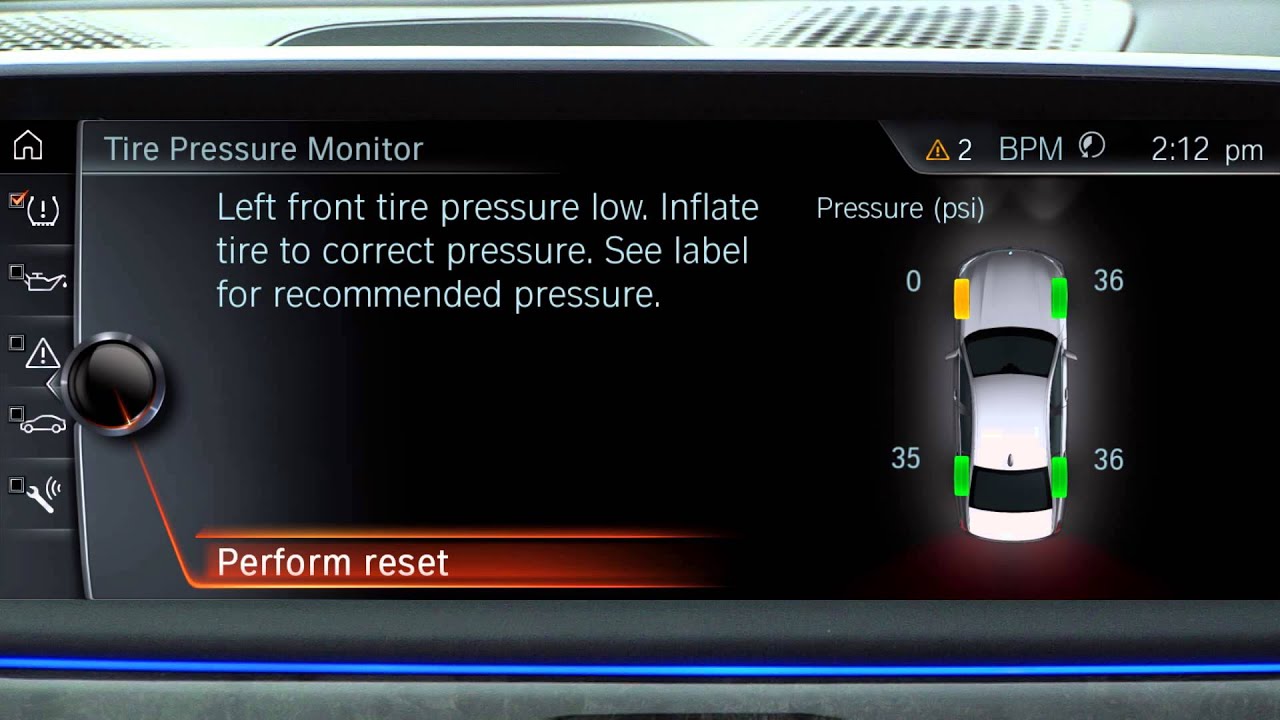
Modern vehicles frequently integrate tire pressure monitoring systems directly into the central touchscreen or instrument cluster. According to automotive service data from 2026, over 70 percent of new model-year vehicles require an electronic calibration rather than a physical button push.
For vehicles without a physical reset button, the procedure is completed through the onboard computer system. Drivers should ensure all tires are inflated to the exact placard specifications before starting this electronic sequence.
Using the Center Touchscreen Interface
- Turn the vehicle ignition to the ON position without starting the engine.
- Navigate to the Settings or Vehicle menu on the main display.
- Select the TPMS, Tire Pressure, or Service submenu.
- Tap the option labeled Calibrate, Initialize, or Reset.
- Confirm the prompt by selecting Yes or Store Pressure.
Executing the Automatic Relearn Drive Cycle
Some manufacturers rely on an autonomous driving protocol to recalibrate wheel rotation speeds. Industry standards dictate that after initiating the reset through the dash, the vehicle must be driven continuously.
- Accelerate the vehicle to a steady speed between 25 and 65 miles per hour.
- Maintain this speed without stopping for approximately 10 to 20 minutes.
- Avoid heavy braking or sharp turns during the initial calibration window so the wheel speed sensors can record accurate baselines.
The dashboard light will typically flash for a minute during initialization and then extinguish once the system successfully stores the new parameters.
What If It Still Doesn’t Work and Troubleshooting Stubborn Lights
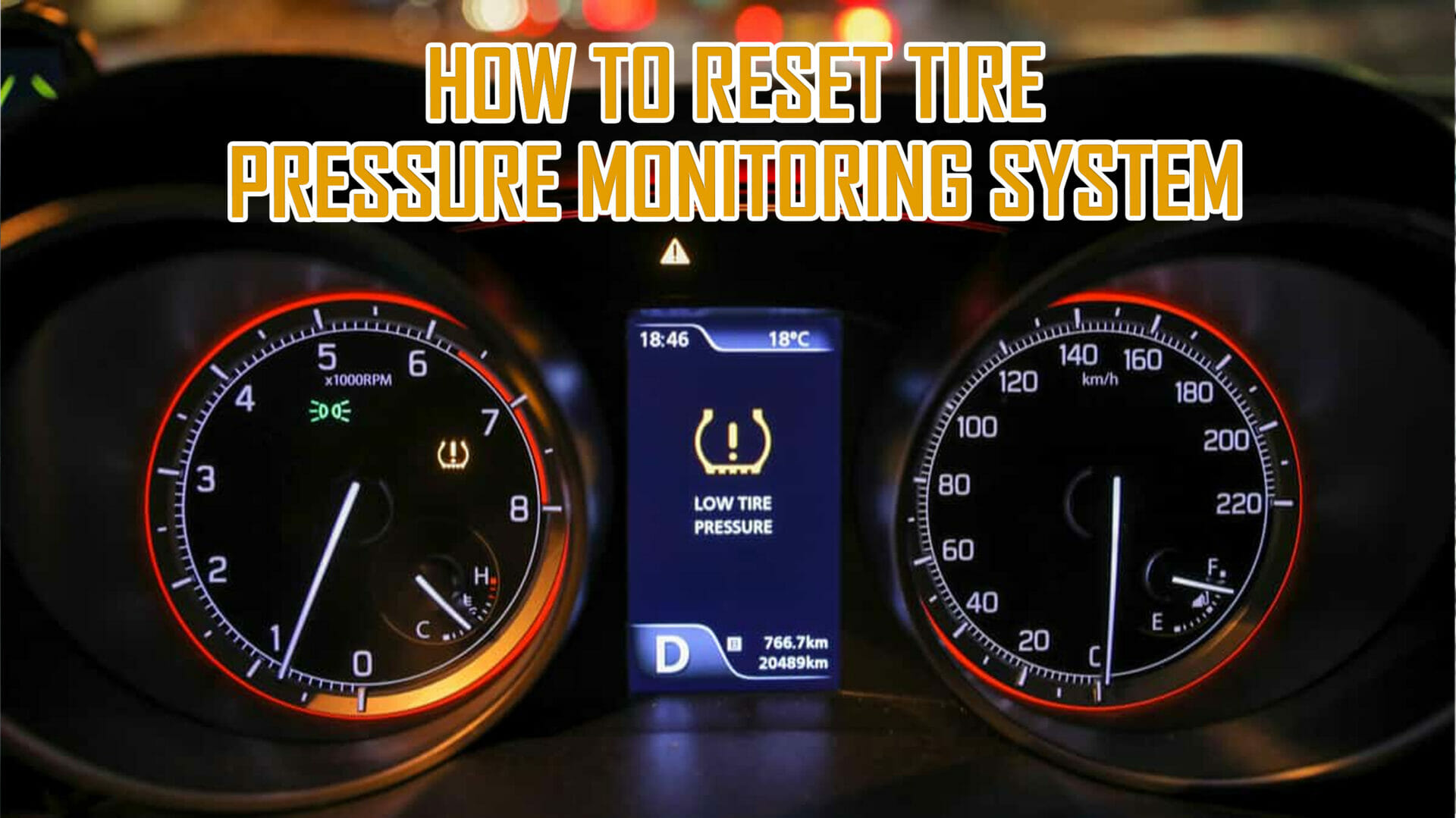
When the TPMS light remains illuminated or flashes persistently after a reset attempt, a mechanical or electrical fault is usually present. Flashing lights typically indicate a system malfunction, while solid lights indicate pressure loss.
According to verified research from the National Highway Traffic Safety Administration (NHTSA), TPMS sensor batteries naturally degrade over time, with a typical lifespan of 5 to 10 years. When these internal power sources fail, the entire sensor unit must be replaced.
- Check the spare tire: Many light trucks and SUVs feature a full-sized spare tire equipped with a hidden TPMS sensor. If the spare drops below operational pressure, the warning light stays on.
- Inspect for dead sensor batteries: Diagnostic scan tools can ping individual wheel sensors to verify if their internal batteries are depleted. Replacement sensors typically cost between $50 and $150 per wheel including labor at professional service shops.
- Look for signal interference: Aftermarket electronic devices plugged into 12-volt auxiliary ports can disrupt radio frequency signals between sensors and the receiver module. Remove all auxiliary chargers and repeat the reset procedure.
- Seek professional diagnostics: If standard resets fail, visit a certified tire technician. Advanced OBD-II scanners can read specific manufacturer error codes to pinpoint broken receiver modules or damaged wiring harnesses. Professional diagnostic fees generally range from $75 to $150.
Conclusion
Resolving a stubborn tire pressure warning light ensures optimal fuel economy, shorter braking distances, and extended tire longevity. By methodically checking inflation levels, utilizing dashboard calibration menus, or addressing failing sensors, drivers can easily restore system functionality. According to verified research and expert sources from major automotive safety organizations, maintaining correct tire pressure reduces tread wear by up to 25 percent. Take the next step today by checking your vehicle placard and verifying all four cold tire pressures.
❓ Frequently Asked Questions
What is the proper way to check tire pressure before a reset?
Use a reliable pressure gauge when the tires are cold—meaning the vehicle has been parked for at least three hours. Compare the measured PSI against the official placard located on the driver-side door jamb, not the maximum number printed on the tire sidewall.
How do I use the physical reset button correctly?
Turn the vehicle’s ignition to the ‘On’ position without starting the engine. Press and hold the physical TPMS button until the dashboard indicator light blinks slowly three times, then release it and wait up to 20 minutes for the system to complete the calibration.
How do I reset the TPMS through my car’s digital screen?
Navigate to the settings menu on your infotainment screen or instrument cluster using the steering wheel controls. Look for the ‘Vehicle’ or ‘Maintenance’ section, select ‘TPMS’ or ‘Tire Pressure’, and choose the option to calibrate or initialize the new pressure values.
What should I do if the TPMS light comes right back on after resetting?
If the light returns immediately, it usually means one of the tires has a slow leak, dropped below the threshold again, or the vehicle failed to properly save the new baseline pressure during the reset procedure.
Can weather changes trigger the tire pressure monitoring system?
Yes, ambient temperature fluctuations directly affect tire pressure. For every 10-degree Fahrenheit drop in outside temperature, tire pressure typically decreases by about 1 to 2 PSI, frequently triggering the warning light during seasonal shifts.
Do I need special diagnostic tools to clear the TPMS light?
Most standard vehicles do not require specialized tools and can be reset using dashboard buttons or infotainment menus. However, some vehicles require an OBD2 scanner or an electronic sensor relearn tool to program newly replaced sensors.