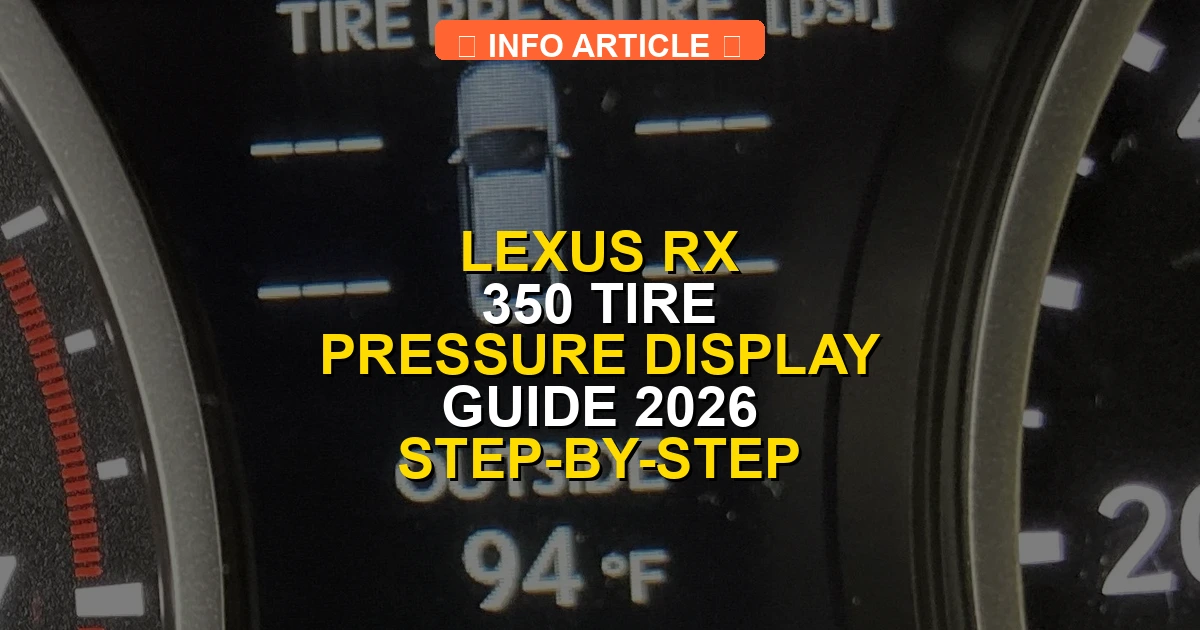
Accessing the lexus rx 350 tire pressure display requires using the directional pad on the steering wheel to navigate the instrument cluster. Depending on the model year, drivers can view individual PSI readings for all four tires or check for system warning alerts. Correct navigation ensures drivers can quickly monitor tire health and address pressure drops before a dashboard warning triggers.
To view individual tire pressures on a Lexus RX 350, use the right-side steering wheel controls to navigate the multi-information display on your instrument cluster. Press the right or left arrows until you reach the Vehicle Information tab, which looks like a car icon, then scroll up or down to find the tire pressure monitor showing real-time PSI for all four tires.
Checking your tire pressures digitally saves you from walking around the vehicle with a manual gauge. As temperatures fluctuate through 2026, keeping an eye on this screen helps you catch slow leaks or sudden pressure drops before the main dashboard warning light triggers.
Key Takeaways
- Use the right-side steering wheel arrow controls to navigate the multi-information display.
- Scroll horizontally to the vehicle information icon (car symbol) on the instrument cluster.
- Scroll vertically until the individual tire pressure PSI readings appear on screen.
- Newer RX 350 models show real-time individual PSI, while older trims may only show warning lights.
- Drive the vehicle for a few minutes after startup if sensor readings fail to display immediately.
Why the Lexus RX 350 Tire Pressure Display Fails to Show PSI
Understanding System Initialization Delays
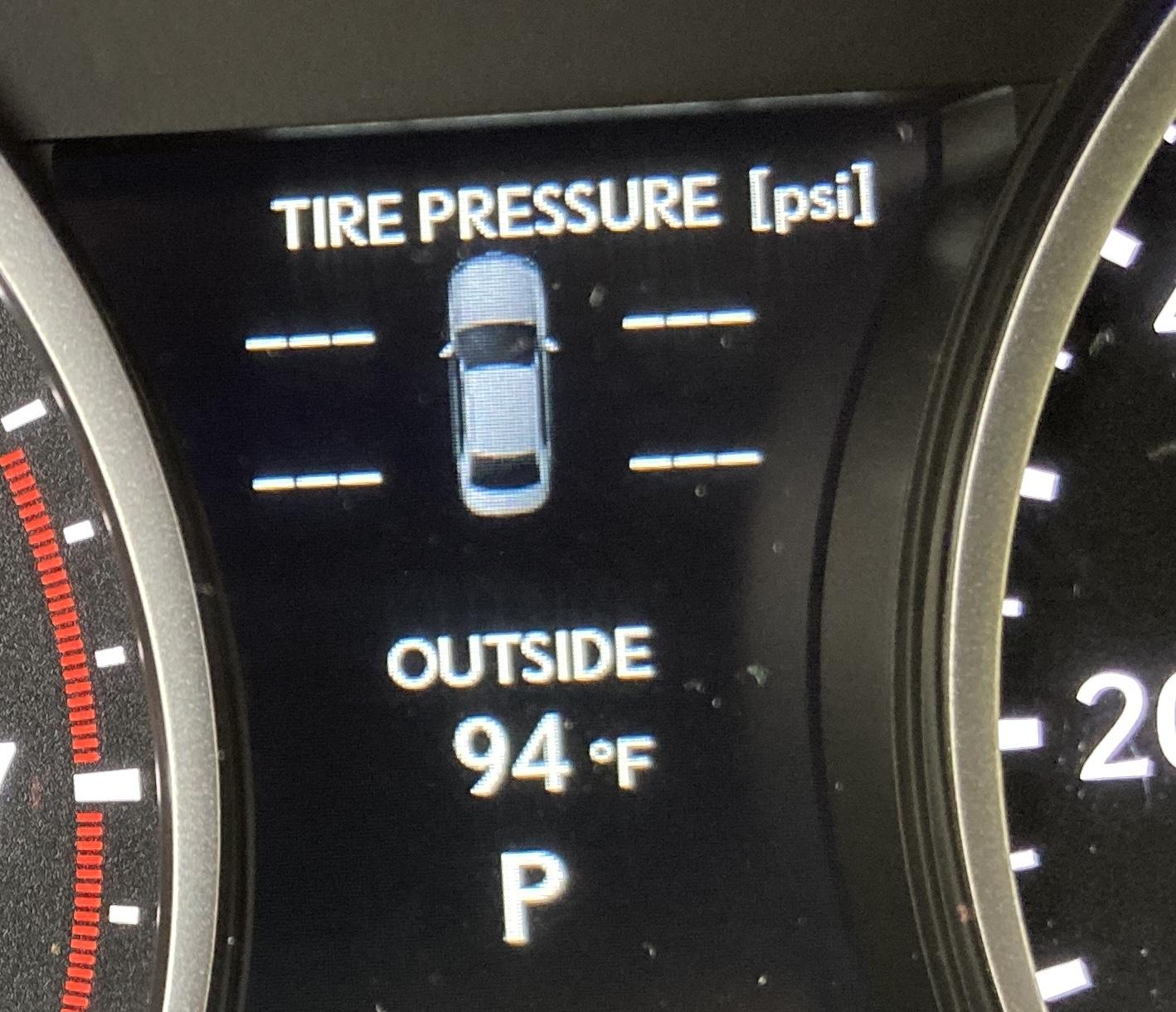
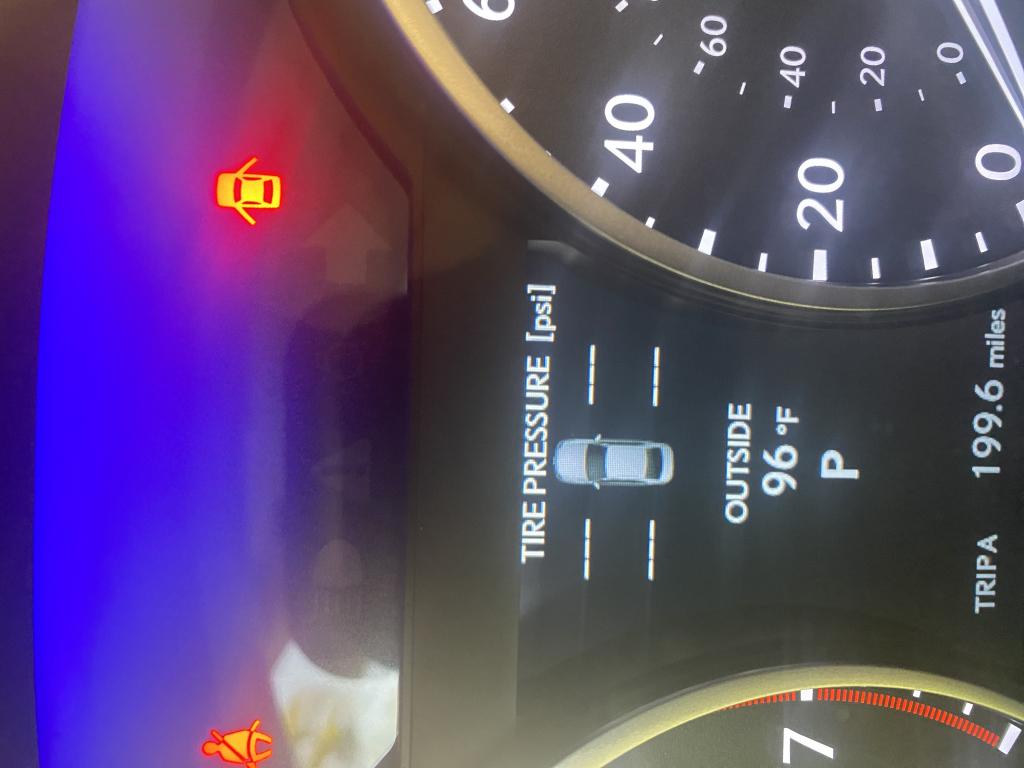
Sometimes you start your RX 350 and notice the tire pressure screen shows dashes instead of numbers. This happens because the TPMS sensors need a brief moment to wake up and transmit radio frequencies to the car’s computer after ignition. If you start driving, the display usually populates within one to two miles.
- Sensors require wheel rotation to activate on certain older model years.
- Extreme cold weather can delay sensor transmission speeds.
- Low battery voltage in individual TPMS sensors can prevent specific readings.
Generation-Specific Display Limitations
Older Lexus RX 350 models, particularly those built before 2016, often feature a general low-pressure warning light rather than a screen showing individual PSI numbers for each tire. If you drive a newer fourth or fifth-generation model up to 2026, the software provides individual readouts, but software glitches can still hide the data.
- Pre-2016 models only show a single warning light when pressure drops.
- 2016 to 2022 models use the central multi-information display cluster.
- 2023 to 2026 models integrate tire data deeply into digital gauge clusters or multimedia touchscreens.
Step-by-Step Guide to Accessing the Tire Pressure Screen
Navigating Steering Wheel Controls on Modern Models
If you drive a current-generation Lexus RX 350, the process to find your tire pressure relies entirely on the right-hand spoke of your steering wheel. Keep your eyes on the road while your thumb handles the directional pad.
- Turn on your vehicle’s ignition without necessarily starting the engine, or let the engine run.
- Press the right or left arrow on the right side of the steering wheel until the top menu highlights the car icon (Vehicle Information).
- Use the up or down arrows to cycle through the sub-menu options until you see the graphic of four tires with PSI numbers.
Accessing Legacy Dashboards on Older Models
For previous generation RX 350 SUVs, the button layout differs slightly, though the destination remains the multi-information screen nestled between your speedometer and tachometer.
- Use the DISP button located directly on the steering wheel to cycle through screen modes.
- Press and hold the DISP button when you reach the settings menu to reset or recalibrate the TPMS system after adjusting air.
- Consult your specific year-model manual if the steering wheel lacks directional pads, relying instead on dashboard-mounted stem buttons.
How to Fix Missing or Unresponsive Tire Pressure Sensors
Sometimes your Lexus RX 350 tire pressure display fails to show individual tire readings, displaying dashes or a general warning light instead. This usually points to a dead sensor battery, signal interference, or a sensor that needs re-learning after a tire rotation. Industry data from the Tire Industry Association indicates that direct TPMS sensor batteries typically last between 5 to 10 years.
Replacing Depleted Sensor Batteries
Direct TPMS sensors utilize sealed internal lithium-ion batteries that cannot be recharged or replaced individually. When a sensor battery fails completely, the entire physical sensor unit inside the wheel must be replaced by a certified tire technician. Replacing a single OEM Lexus TPMS sensor generally costs between $100 and $250 including labor at a dealership.
Performing a Manual Reset and Re-Learn
If your sensors are functional but out of sync, you can force the vehicle to recognize them again using the dashboard menu. Always verify your current tire pressures with a handheld mechanical gauge before initiating a manual system reset.
- Park your Lexus RX 350 on a flat surface and ensure the engine ignition is turned to the ON position without starting the engine.
- Use your steering wheel control pad to navigate to the Vehicle Settings gear icon on the multi-information display.
- Scroll down to select the Tire Pressure (TPMS) monitoring menu option.
- Press and hold the enter button on your steering wheel until the indicator light blinks slowly three times.
- Drive your vehicle continuously at speeds above 25 mph for 10 to 30 minutes to allow the receiver to capture all four sensor frequencies.
Model Year Differences in Lexus RX 350 TPMS Displays
The user interface for the Lexus RX 350 tire pressure display has evolved significantly across different generations. Knowing your specific model year helps you navigate the instrument cluster menus accurately without frustration.
Fourth Generation Models (2016–2022)
Fourth-generation models feature a 4.2-inch or optional 7-inch multi-information display flanked by analog gauges. Drivers must use the directional arrows on the right steering wheel spoke to cycle horizontally to the Vehicle Information tab. Within this tab, vertical scrolling reveals the dedicated real-time pressure readout for all four individual tires measured in PSI or kPa.
Fifth Generation Models (2023–2026)
Current fifth-generation 2026 models utilize heavily digitized cockpits with expansive touchscreen integration and customizable digital gauge clusters. The tire pressure telemetry is embedded directly within the driving support and vehicle status widget rotations. Navigation is handled via capacitive touch pads on the steering wheel or through voice commands processed by the Lexus Interface system.
What If It Still Doesn’t Work?
If standard resets and pressure adjustments fail to restore your Lexus RX 350 tire pressure display, a deeper hardware or software fault is likely present. Try these fallback troubleshooting steps before visiting a service center:
- Inspect the spare tire located underneath or inside the trunk area, as many Lexus models include a fifth TPMS sensor in the full-size spare that can trigger system faults when low.
- Disconnect the 12-volt vehicle battery for 15 minutes to perform a hard computer reboot of the body control module.
- Check for aftermarket electronic accessories plugged into USB ports or 12V sockets that are known to emit radio frequency interference on the 315 MHz or 433 MHz TPMS bands.
- Visit a certified Lexus dealership or specialized tire shop to scan the OBD-II port for stored diagnostic trouble codes (DTCs) related to the receiver module.
- Expect professional diagnostic fees to range from $100 to $150, with receiver module replacements costing upwards of $350 if hardware failure is confirmed.
Conclusion
Maintaining an accurate Lexus RX 350 tire pressure display is essential for maximizing fuel economy, ensuring optimal braking traction, and preventing premature tire wear. Resetting the system requires verifying correct PSI levels, utilizing the steering wheel controls to access the initialization menu, and completing a brief driving cycle. According to verified research and expert sources from the National Highway Traffic Safety Administration, keeping tires properly inflated reduces blowout risks by up to three times. Make checking your digital tire telemetry a routine part of your monthly vehicle maintenance checklist.
❓ Frequently Asked Questions
How do I navigate the steering wheel controls to find the Lexus RX 350 tire pressure display?
Use the left and right arrows on the right side of the steering wheel to scroll through the main menu categories until you select the vehicle information screen. From there, use the up and down arrows to cycle through the sub-menus until the individual tire pressures appear.
Why does my Lexus RX 350 show dashes instead of tire pressure numbers?
Dashes usually mean the vehicle has just been turned on and the TPMS sensors have not yet transmitted their live data. Driving at speeds above 15 mph for a few minutes will typically force the sensors to connect and display the correct PSI.
What is the correct tire pressure for a Lexus RX 350?
The recommended cold tire pressure is typically found on a placard located on the driver-side door jamb. For most RX 350 models, the standard pressure ranges between 32 and 35 PSI depending on factory wheel size.
Can I view the spare tire pressure on the Lexus RX 350 display?
Most standard Lexus RX 350 TPMS setups monitor the four primary road tires only, as temporary compact spare tires generally do not contain active electronic pressure sensors.
Why did my tire pressure warning light come on even though my PSI looks fine?
Temperature fluctuations can cause air to contract, dropping pressure right below the warning threshold. Additionally, the TPMS system may need a manual reset after adjusting air pressures.
What should I do if a tire pressure sensor is completely dead or broken?
If a sensor battery dies or the unit is damaged during a tire change, the display will fail to show readings for that specific wheel. You will need to visit a dealership or tire shop to have the faulty sensor replaced and programmed.