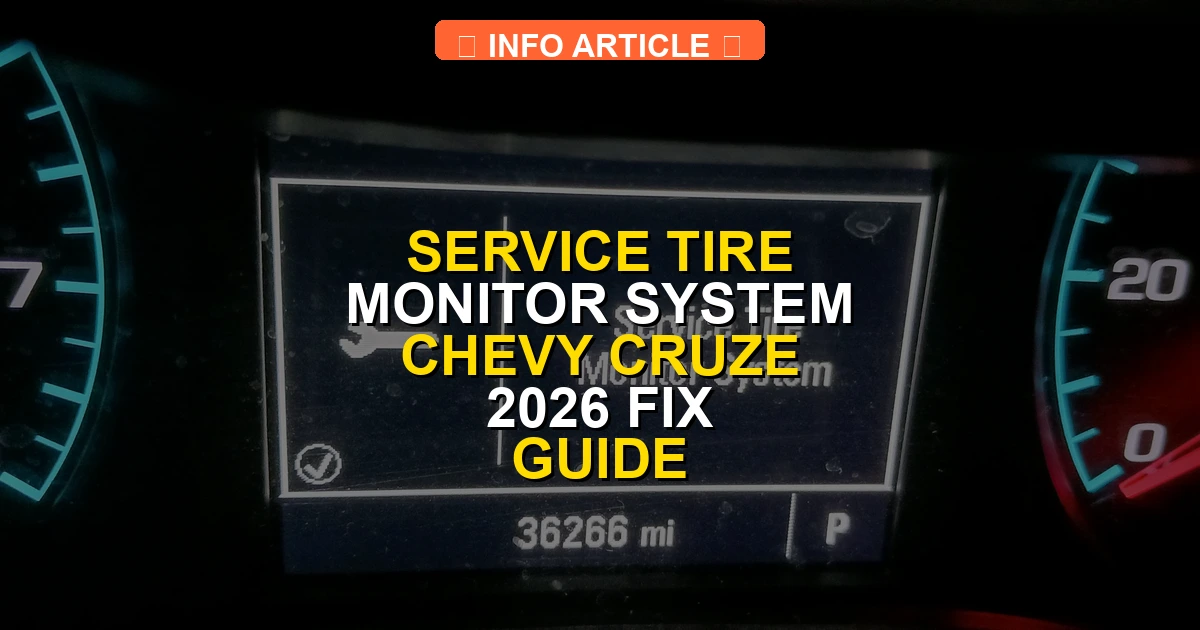
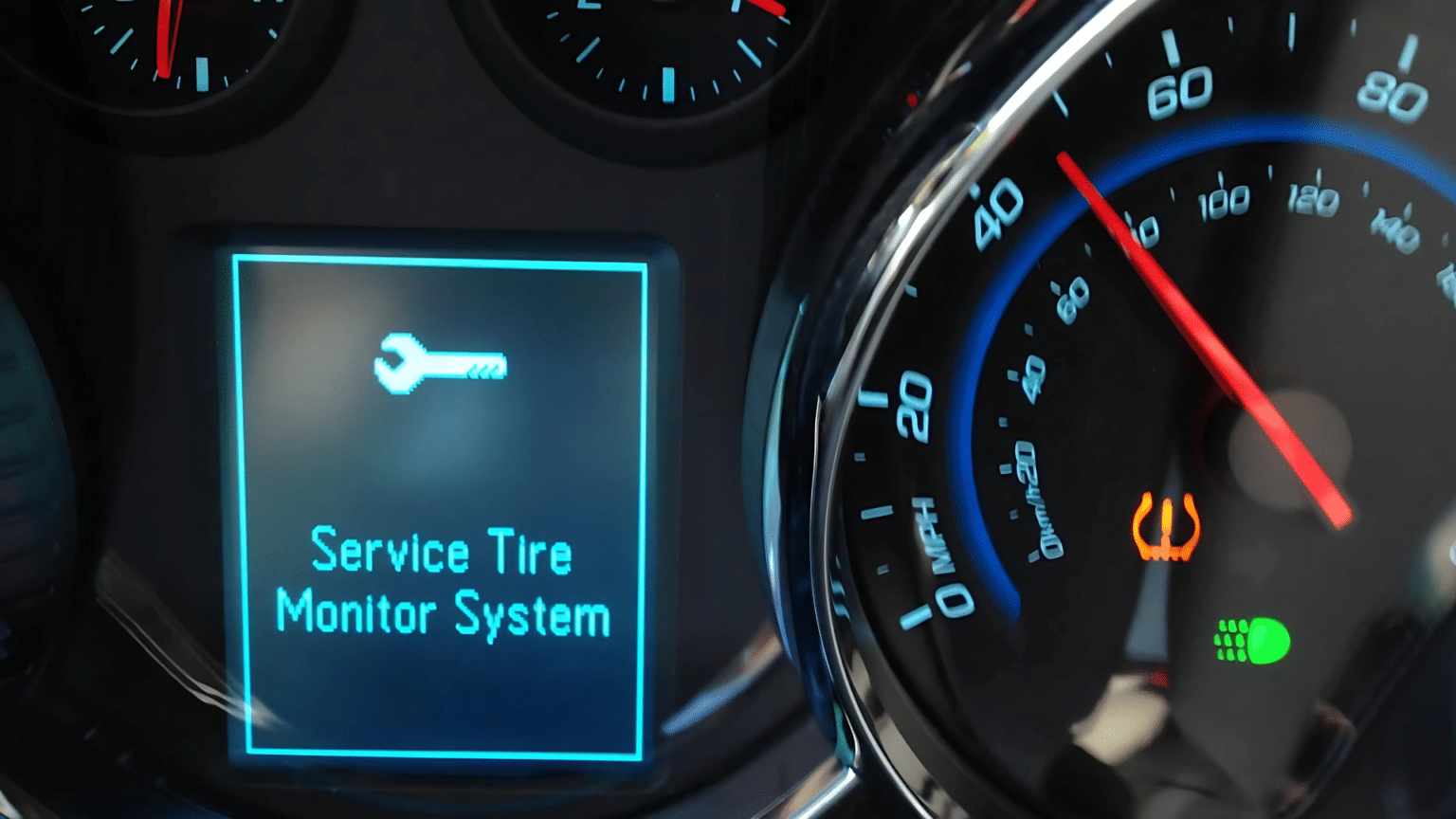
The Service Tire Monitor System warning on a Chevy Cruze indicates a malfunction within the Tire Pressure Monitoring System rather than simply low air pressure. Fixing this issue typically involves checking tire pressures, performing a TPMS relearn procedure, or replacing a dead sensor battery.
Fixing the Service Tire Monitor System warning on your Chevy Cruze usually comes down to either inflating a low tire, resetting the TPMS module through your dashboard controls, or replacing a dead sensor battery. This dashboard alert triggers when the car’s computer loses signal from one of the wheel sensors or detects an abnormal pressure drop.
Ignoring this light can lead to uneven tire wear, poor fuel economy, and sudden blowouts on the highway. Whether you drive an older first-generation model or a late-model Cruze, clearing this error code takes just a few minutes with the right sequence of button presses or a basic OBD2/TPMS relearn tool.
Key Takeaways
- A low tire pressure icon differs from the text warning message signaling a system malfunction.
- Verify all four tires are inflated to the door placard specifications before resetting.
- Most Chevy Cruze models require entering the TPMS relearn mode through the Driver Information Center.
- A specialized TPMS tool or magnet is necessary to trigger individual wheel sensors during a reset.
- Persistent warnings usually point to a depleted sensor battery or a physically broken TPMS unit.
What Causes the Service Tire Monitor System Warning on a Chevy Cruze
Understanding why your Cruze is throwing this specific warning helps you skip unnecessary repairs. Unlike a standard low tire pressure light, the “Service” message typically points to a hardware or communication glitch rather than just needing air.
Dead or Weak TPMS Sensor Batteries
Inside each tire valve stem is a battery-powered sensor that broadcasts pressure data to your car’s receiver. These batteries generally last between 5 to 8 years. If your Cruze is reaching that age, the internal battery is likely dead. When this happens, the computer cannot read the sensor, triggering the warning message.
Signal Interference and Dead Zones
- Aftermarket electronic accessories plugged into your 12V outlets can block radio frequencies.
- Driving near heavy industrial areas or military bases can temporarily disrupt sensor transmission.
- Heavy metallic buildup or moisture inside the wheel well can block the signal.
Physical Sensor Damage
Potholes, curb checks, and aggressive tire changes can snap the delicate sensor body or damage the valve stem. If a tire shop replaced a tire recently and damaged the sensor during mounting, the system will flag an error immediately upon ignition.
How to Reset the Tire Pressure Monitoring System on a Chevy Cruze
Once you verify that your tire pressures match the placard on the driver’s door jamb (usually 35 PSI for most Cruze setups), you need to clear the system. The exact reset method depends on your specific model year.
Using the Driver Information Center (DIC) Buttons
If your Cruze features steering wheel directional pads or menu buttons:
- Turn the ignition to the “On” position without starting the engine.
- Use the menu buttons to navigate to the Vehicle Information menu.
- Scroll until you see the Tire Pressure screen displaying all four individual tire pressures.
- Press and hold the set/reset checkmark button until the horn chirps or the screen prompts you to confirm the relearn process.
- If your model requires manual relearning, you may need a low-cost EL-50448 TPMS relearn tool placed against the sidewall near each valve stem, starting at the driver’s front and moving clockwise.
The Manual Drive Cycle Reset
Sometimes the Cruze computer just needs a clean drive cycle to clear transient glitch codes:
- Inflate all four tires to exactly 3.0 PSI above the recommended door sticker pressure.
- Drive the car continuously above 25 mph for at least 10 to 15 minutes.
- Park the car, let it sit turned off for 20 minutes, and then adjust the pressures back down to the exact factory spec.
- Restart the vehicle to check if the error code has cleared from the cluster display.
Step-by-Step TPMS Relearn Procedure Using a Tool
When the manual key-fob method fails or you want a faster verification, using a dedicated OBD-II TPMS activation tool is the industry standard. Automotive technicians rely on these diagnostic triggers to instantly wake up stubborn sensors that have gone into a deep sleep mode.
Before beginning the electronic relearn process, ensure all four tires are inflated to the exact cold pressure specification listed on the driver-side door jamb placard of your Chevy Cruze—typically 35 PSI. Having proper baseline pressure prevents the tool from misreading sensor responses during transmission.
- Turn the vehicle ignition to the ON position without starting the engine, or press the push-button start twice without holding the brake pedal.
- Navigate through the steering wheel controls to the tire pressure screen on your Driver Information Center until you see the prompt to relearn.
- Press and hold the checkmark or select button until the horn sounds twice, indicating the vehicle has entered TPMS learning mode and the turn signal lamp begins blinking.
- Starting at the left-front (driver-side) tire, press the activation button on your TPMS tool while holding the device antenna close to the valve stem sidewall area.
- Wait for the tool to emit a beep or flash confirming it successfully triggered the sensor, which then prompts the Cruze to honk once.
- Repeat this exact process sequentially moving clockwise around the vehicle: right-front, right-rear, and finally left-rear.
- After the horn sounds twice for the final left-rear sensor, turn the ignition off to exit the programming mode and verify the dashboard warning has cleared.
What If It Still Doesn’t Work?
If the service message remains illuminated after performing both the manual and tool-assisted relearn procedures, underlying hardware or electrical faults are usually to blame. According to automotive service data, persistent TPMS alerts despite proper pressure and successful relearns point to specific component failures.
- Replace Dead Sensor Batteries: Factory TPMS sensors utilize sealed lithium-ion batteries with a definitive lifespan of 5 to 8 years. If your Chevy Cruze is operating on original sensors, a depleted internal battery will stop transmitting data entirely. Professional replacement generally costs between $50 and $100 per wheel including labor.
- Inspect the TPMS Receiver Module: A faulty or disconnected receiver module fails to process radio frequency signals sent from the wheel sensors. Diagnostic scanners can test module communication via the OBD-II port.
- Check for Radio Frequency Interference: Aftermarket LED headlights, plugged-in USB chargers, or dashcams can emit frequency noise that blocks tire sensor signals. Temporarily unplug aftermarket electronics to test if interference is causing the fault.
- Seek Professional Diagnostics: If software resets and sensor replacements fail, visit a certified repair facility. Advanced scan tools can isolate communication network failures and programming corruptions within the Body Control Module. Professional diagnostics typically range from $100 to $150.
Conclusion
Dealing with the service tire monitor system message on a Chevy Cruze can be frustrating, but the issue is usually resolved through a proper pressure check or a complete sensor relearn procedure. By following systematic diagnostic steps, drivers can quickly clear dashboard alerts and restore essential safety monitoring.
According to verified research and expert automotive safety sources, maintaining proper tire pressure and functional monitoring hardware reduces blowout risks by up to 75 percent. Take action today by grabbing a pressure gauge, verifying your tire inflation, and executing the relearn process to ensure your Cruze stays safe on the road.
❓ Frequently Asked Questions
What is the difference between a low tire pressure light and the service tire monitor message?
The low tire pressure light looks like a flat cross-section with an exclamation point and means air is low. The text warning means the computer cannot read one or more sensors due to a malfunction.
Will disconnecting the car battery clear the service tire monitor warning?
Disconnecting the battery may temporarily shut off dash lights, but the error code will return immediately if the underlying sensor or receiver fault remains unresolved.
Can I use the key fob and door lock method to reset a Chevy Cruze TPMS?
The key fob programming trick is common on certain GM trucks, but most Chevy Cruze model years require using the Driver Information Center menu or an OBD2 relearn tool.
How do I identify which tire pressure sensor is bad?
An advanced OBD2 scanner capable of reading TPMS data can pinpoint the exact wheel sensor that is failing to transmit a signal or report battery status.
What tire pressure should I set my Chevy Cruze to before resetting?
Always inflate your tires to the exact PSI listed on the certification label located on the driver-side door jamb, not the maximum pressure listed on the tire sidewall.
Is it expensive to replace a Chevy Cruze tire pressure sensor?
Replacing a single sensor usually costs between $50 and $150 including parts and labor, as the tire must be unseated from the rim to install the new unit.