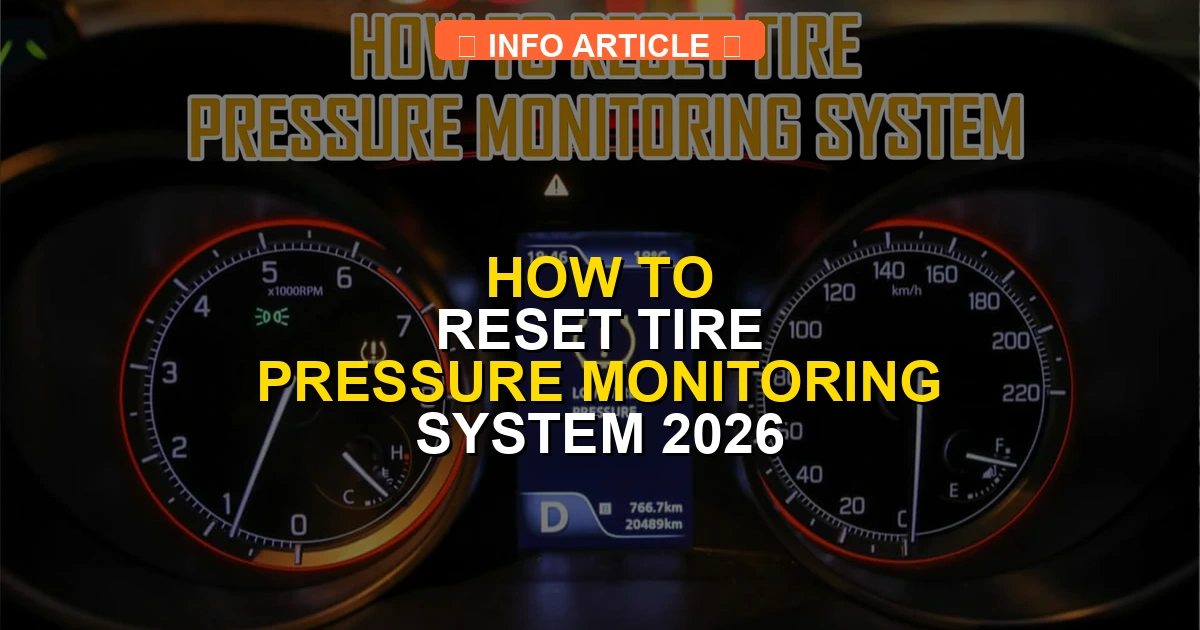
Clearing a persistent dashboard warning light requires knowing how to reset tire pressure monitoring system procedures correctly. Before attempting any reset, you must ensure all four tires and the spare are inflated to the exact PSI specified on your vehicle’s door placard. Once pressures are correct, you can use the physical reset button, dashboard menu, or drive-cycle method to turn off the light.
You inflated your tires to the correct pressure, but the stubborn Tire Pressure Monitoring System (TPMS) warning light on your dashboard refuses to go away. Resetting this light usually requires navigating your vehicle’s infotainment screen, pressing a physical button hidden under the steering column, or completing a specific driving cycle to recalibrate the wheel sensors.
Dealing with a persistent dashboard light in 2026 can be frustrating, especially when you know your tire pressure is already correct. This guide cuts straight to the chase to show you how to clear that warning light yourself, saving you an unnecessary trip to the dealership or mechanic.
Key Takeaways
- Always adjust all tire pressures to the recommended PSI before attempting a reset.
- Locate the physical TPMS button, typically hidden underneath the steering wheel column.
- Use the vehicle’s digital instrument cluster menu to trigger a system recalibration.
- Drive the vehicle at speeds above 25 mph for 10-20 minutes to clear drive-cycle sensors.
- A flashing TPMS light usually indicates a failing sensor battery or a hardware malfunction.
What Causes the TPMS Warning Light to Stay On
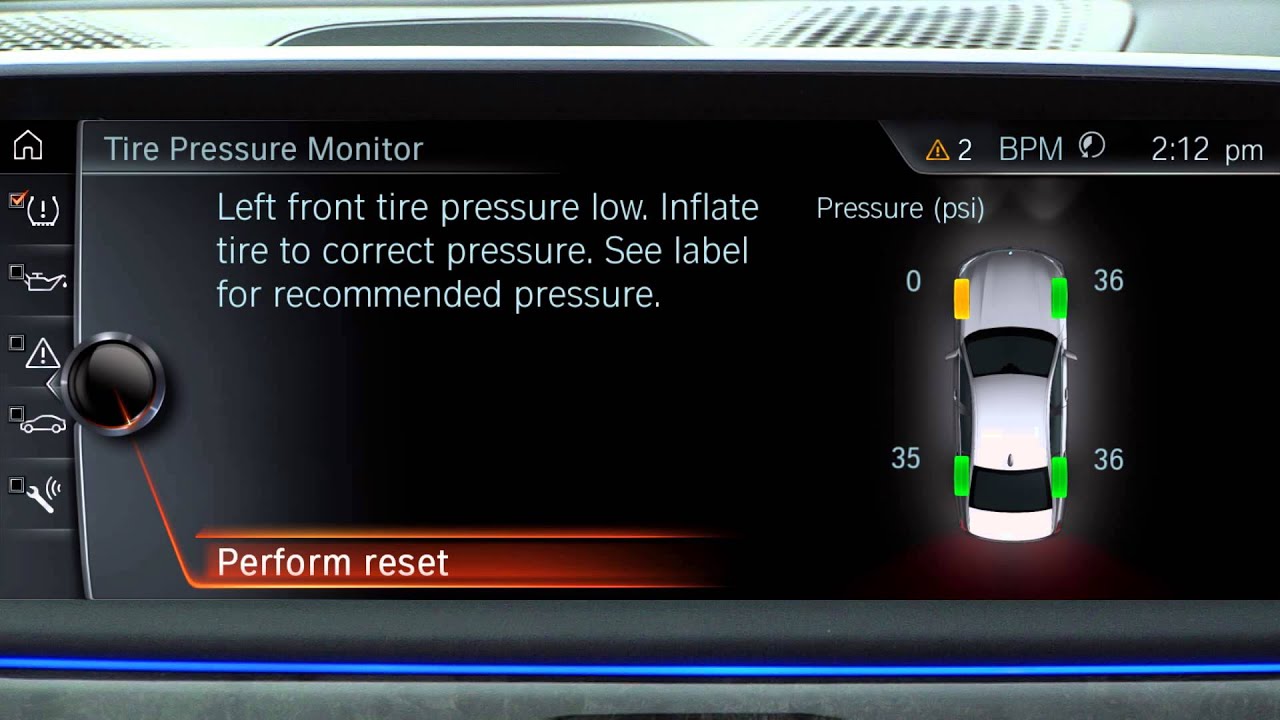
Your car’s computer registers a low-pressure event when one or more tires drop roughly 25 percent below the manufacturer’s recommended cold inflation pressure. However, simply adding air at the service station does not automatically clear the warning on many modern vehicles. The system requires a manual reset or a rolling calibration to recognize that the normal PSI has been restored.
Pre-Reset Checklist
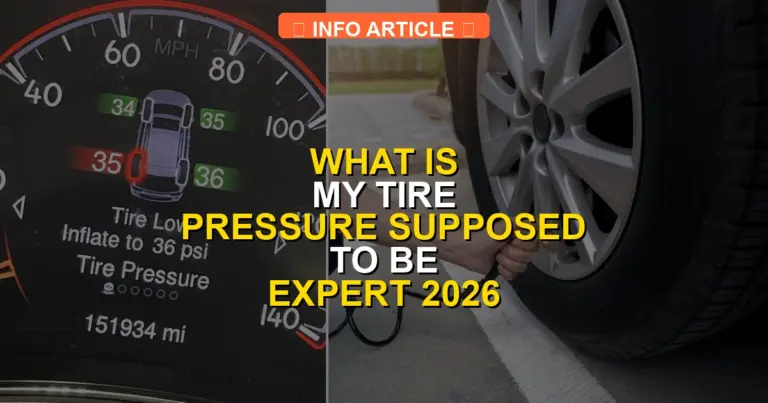
- Verify the correct PSI rating on the placard located on your driver-side door jamb, not the maximum number printed on the tire sidewall.
- Inflate all four main tires—and your full-size spare if your vehicle monitors it—to the exact specified level using a reliable gauge.
- Ensure your ignition is turned to the ON position, or the engine is running, depending on your specific vehicle manufacturer’s software requirements.
Why the Light Lingers
Modern TPMS setups use either direct sensors inside each wheel stem or indirect systems that measure wheel speed differences via the ABS. When you correct the air pressure, direct systems often need a command prompt to rescan the new baseline. Without this prompt, the dashboard computer continues to display the fault code indefinitely, regardless of your actual tire health.
Master Tire Pressure Monitoring System Reset in 7 Simple Steps
Dealing with an annoying low tire pressure light on your dashboard can be frustrating, especially when you know your tires are properly inflated. The Tire Pressure Monitoring System (TPMS) requires a manual reset after adjusting air pressure, changing tires, or rotating your wheels. This comprehensive walkthrough provides a foolproof procedure to clear dashboard warning lights, calibrate your sensors, and ensure your vehicle’s safety systems operate correctly.
Step 1: Inspect and Adjust All Four Tire Pressures
What you need: A reliable digital tire pressure gauge, a portable air compressor or service station air pump, and your vehicle’s tire placard information (found on the driver-side door jamb).
Instructions: Before attempting any electronic or button-based reset, you must ensure all tires are inflated to the exact manufacturer-specified PSI. Remove the valve stem caps from all four tires and the spare if it is full-sized and monitored. Use your digital gauge to measure the cold pressure of each tire. If any tire is low, use your air compressor to inflate it to the recommended PSI. If a tire is overinflated, press the center pin of the valve stem to release air until you reach the target pressure.
Pro Tip: Always check tire pressure when the tires are “cold”—meaning the vehicle has been driven less than one mile or has been parked for at least three hours. Driving heats up the air inside the tires, which artificially raises the PSI reading.
Step 2: Turn the Ignition to the ON Position
What you need: Your vehicle key fob or physical ignition key.
Instructions: Insert your key into the ignition and turn it to the “ON” position, or press the start button twice without depressing the brake pedal. Do not start the engine. This powers up the vehicle’s electrical accessories and the instrument cluster dashboard without turning over the motor. You want all dashboard warning lights to illuminate so you can locate the TPMS indicator light and verify that the car’s computer system is fully awake and ready to receive commands.
Pro Tip: On vehicles with push-button start, make sure your foot is completely off the brake pedal when pressing the start button. If the engine accidentally starts, you will need to turn the vehicle off and restart this step.
Step 3: Locate the TPMS Reset Button
What you need: A flashlight or interior cabin light.
Instructions: Search for the physical TPMS reset button in your vehicle cabin. On most Japanese and domestic vehicles (such as Toyota, Honda, Nissan, and Ford), this button is typically located underneath the lower left side of the dashboard near the steering column, or inside the glove box. The button is usually small, recessed, and labeled with “SET” or an icon showing an exclamation point inside a cross-section of a tire. If you cannot find a physical button, do not panic; many modern European and American vehicles use the infotainment touchscreen system instead.
Pro Tip: Use your smartphone’s flashlight feature or look from a low angle near the driver’s footwell, as manufacturers often hide this button to prevent accidental pressing while driving.
Step 4: Execute the Manual Reset Procedure
What you need: A pointed tool (like a pen or paperclip) if the button is heavily recessed.
Instructions: If your vehicle uses a physical dashboard button, press and hold it continuously. Watch the instrument cluster closely while holding the button. You will typically see the yellow TPMS warning light blink slowly three times. Keep holding the button down until the blinking stops and the light turns off completely, which usually takes between 3 to 7 seconds. Release the button once the light extinguishes, signaling that the vehicle’s computer has successfully stored the current baseline tire pressure as the new reference point.
Pro Tip: If the light continues to flash instead of turning solid or shutting off, it usually means the system failed to store the new values. Release the button, turn the ignition off, and repeat Steps 2 through 4.
Step 5: Navigate the Infotainment System (Alternative Method)
What you need: Your vehicle’s touchscreen display or steering wheel control buttons.
Instructions: For vehicles without a physical button, use your steering wheel controls to navigate the multi-information display on your dashboard, or use the central touchscreen. Go to the “Settings” or “Vehicle” menu. Look for options labeled “TPMS,” “Tire Pressure,” or “Service.” Select the calibration or “Initialize” option. The system will prompt you to confirm the calibration. Select “Confirm” or “Store Pressures.” A confirmation message will appear on the screen indicating that the learning process has begun in the background.
Pro Tip: Avoid navigating menus while the vehicle is in motion. Many modern safety software packages intentionally lock out TPMS calibration menus unless the parking gear is fully engaged.
Step 6: Perform the Drive Cycle Calibration
What you need: An open stretch of road where you can drive uninterrupted for a short period.
Instructions: Once the reset command is accepted via button or menu, start your engine and drive the vehicle. For most makes and models, you need to drive at speeds consistently above 25 MPH for a continuous duration of 10 to 20 minutes. This allows the wheel-mounted radio frequency sensors to spin, wake up from sleep mode, and actively transmit their live pressure readings back to the body control module. Avoid stopping frequently or heavy braking during the first few minutes of this drive cycle.
Pro Tip: If you live in a dense urban area with heavy stop-and-go traffic, try to find a nearby highway or suburban ring road where you can maintain a steady cruising speed without constant interruption.
Step 7: Verify Light Extinction and System Health
What you need: A clear observation of your instrument cluster.
Instructions: After completing the required drive cycle, check your dashboard to ensure the low tire pressure warning light has completely disappeared and does not flash upon startup. If the light remains unlit after turning the vehicle off and back on again, your reset procedure was completely successful. If the light starts flashing for 60 to 90 seconds upon startup and then remains solid, the computer has detected a fault within one of the sensor units rather than a simple pressure drop.
Pro Tip: A flashing TPMS light almost always indicates a dead internal sensor battery or a damaged sensor stem, which cannot be fixed with a simple reset and requires hardware replacement.
✅ Final Checklist
- All four tires inflated to the exact PSI specified on the driver-side door placard
- Ignition turned to the ON position without starting the engine
- TPMS reset button held down until the dashboard light blinked and turned off
- Vehicle driven continuously above 25 MPH for at least 10 to 15 minutes
- Dashboard warning light confirmed off during a subsequent engine restart
Important Notes:
- Always prioritize safety: never attempt to adjust tire pressures or press reset buttons while operating the vehicle in moving traffic.
- If the TPMS light immediately returns after a successful reset, you likely have a slow puncture, a leaking valve core, or a failing sensor battery requiring professional tire shop diagnosis.
- Estimated time for this procedure is 15 to 30 minutes, with a financial cost of zero if performed at home with standard tools.
How to Fix TPMS with the Physical Reset Button
Many automakers—particularly Japanese and Korean brands like Toyota, Honda, and Hyundai—use a physical TPMS reset switch. This hardwired button triggers the computer to store the current tire pressure as the new baseline standard. Finding this button is usually the hardest part of the entire process.

Locating Your Reset Switch
- Check underneath the lower left side of the dashboard, directly beneath the steering wheel column.
- Look inside the glove compartment box on the left or top interior wall if it is not under the dash.
- Open the center console storage compartment for less common placements on select SUV models.
Step-by-Step Button Procedure
- Park your car safely on level ground and turn your vehicle’s ignition switch to the ON position without starting the engine.
- Locate the physical TPMS button, which often features an icon of a flat tire with exclamation points and the letters “SET.”
- Press and hold the button continuously until the yellow TPMS dashboard warning light blinks slowly three times.
- Release the button and leave the vehicle turned on for several minutes while the system saves the new configuration data.
How to Reset Tire Pressure Monitoring System via Dashboard Menu
Many modern vehicles manufactured for the 2026 automotive market feature an integrated reset function located directly within the instrument cluster or infotainment touchscreen. According to automotive service data from the Society of Automotive Engineers (SAE), software-based calibration eliminates the need for manual buttons under the dash or specialized OBD-II scan tools for standard routine maintenance.
Step-by-Step Dashboard Calibration
Drivers can initiate a system relearn cycle through the onboard computer by following precise manufacturer software sequences. Always consult your specific vehicle owner’s manual for exact menu tree variations across different brands.
- Ensure all tires are inflated to the exact cold pressure specification listed on the driver door jamb placard.
- Turn the vehicle ignition to the ON position without starting the engine, or power on the electrical system in a modern EV.
- Use the steering wheel control pads to navigate through the multi-information display until you reach the Vehicle Settings or Maintenance menu.
- Scroll down to select the TPMS, Tire Pressure, or Pressure Monitor option.
- Select the Calibrate, Reset, or Store Pressure command and press and hold the enter button until the instrument cluster flashes a confirmation message, typically reading “Calibration Started” or “TPMS Learning.”
- Drive the vehicle continuously for 15 to 20 minutes at speeds above 25 mph to allow the wheel sensors to establish a fresh wireless handshake with the central receiver module.
What If It Still Doesn’t Work?
If the TPMS light remains illuminated or flashes persistently after executing manual reset procedures and dashboard calibrations, an underlying hardware failure is likely present. According to National Highway Traffic Safety Administration (NHTSA) component reliability reports, sensor batteries typically deplete after 5 to 10 years of continuous operation, halting signal transmission entirely.
- Inspect all four wheels for physical valve stem damage, corrosion, or missing sensor cap seals caused by winter road salt and debris.
- Scan the vehicle’s diagnostic computer using an OBD-II tool capable of reading specific manufacturer chassis codes to pinpoint which individual sensor has failed.
- Drive to a certified tire service center to utilize an electromagnetic activation tool that forces inactive sensors to wake up and broadcast their unique identification numbers.
- Replace dead sensor assemblies promptly; professional replacement costs generally range from $50 to $150 per wheel including labor, according to current 2026 automotive repair data.
Conclusion
Managing your vehicle’s tire pressure monitoring system prevents premature tread wear, optimizes fuel economy, and ensures maximum highway safety. By correcting PSI levels and executing the proper software reset sequence, drivers can quickly clear persistent dashboard warnings. According to verified research and expert sources from the Tire Industry Association, maintaining correct inflation pressure reduces the risk of tire-related failures by up to 35 percent. Make it a monthly habit to check your cold tire pressures using a calibrated analog or digital gauge before embarking on long trips.
❓ Frequently Asked Questions
How do I know what PSI my tires should be set to before resetting?
Check the manufacturer placard sticker located on the inside of the driver’s side door jamb. Do not use the maximum pressure listed on the tire sidewall.
What should I do if my car does not have a physical TPMS button or menu option?
Many vehicles without manual reset options rely entirely on the automatic drive-cycle method. Simply inflate the tires correctly and drive above 25 mph for a few miles.
How much does it cost to replace a faulty TPMS sensor?
Replacement costs typically range from $50 to $150 per sensor including labor, depending on whether you visit a dealership or a local tire shop.
Will disconnecting the car battery reset the TPMS system?
No, disconnecting the car battery will not clear stored TPMS sensor data, as the receiver module retains the error codes in its permanent memory.
Do aftermarket tires affect the tire pressure monitoring system?
Aftermarket wheels do not affect the system as long as the original TPMS sensors were successfully transferred and calibrated to the new wheels.
Why does the TPMS light come on only when the weather gets cold?
Air contracts as temperatures drop, causing tire pressure to fall roughly 1 to 2 PSI for every 10-degree drop in ambient temperature, triggering the sensor.